KeriBlog

Cars, Security & a Peek into my Life

  • Keri on Twitter
  • Keri on Instagram
  • Keri on Facebook
  • Keri on LinkedIn
  • Keri on YouTube
  • Keri on Google Plus
  • Home
  • Home
  • Cars
  • Security
  • a Peek into my Life
  • ‘Keri on Driving’ Index Page

Mass Publishing for an Audience of One

Jul 24 2013

Sometimes if what I write doesn’t make sense, it was never supposed to, to you. I delete Tweets, posts.

Nooo, this is a regularily scheduled face-post for the Security section

That blog category is filled with drier photos, and I just needed a line of text to separate the two above.

Jokes aside, I used to hide messages in photos using text, but Google can read that now; symbols and gestures too.

A friendly reminder to edit your photos before uploading;
online editors are probably saving a copy of the original

How to do that here.
 

Thanks for sharing:

  • Facebook
  • Twitter
  • Pinterest
  • LinkedIn

Filed Under: Security Tagged With: posting publicly for one, security through obscurity

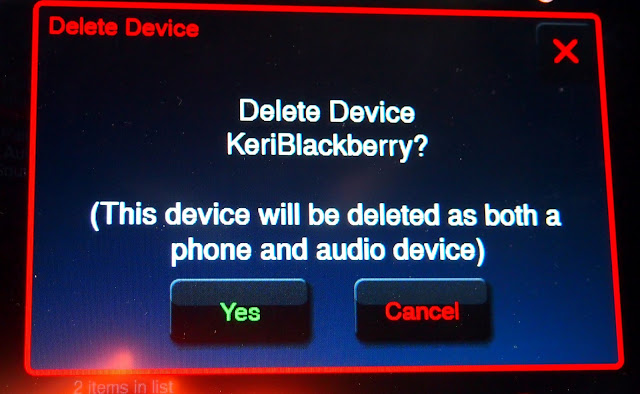
Delete your Phone from the Rental Car

Jun 6 2013

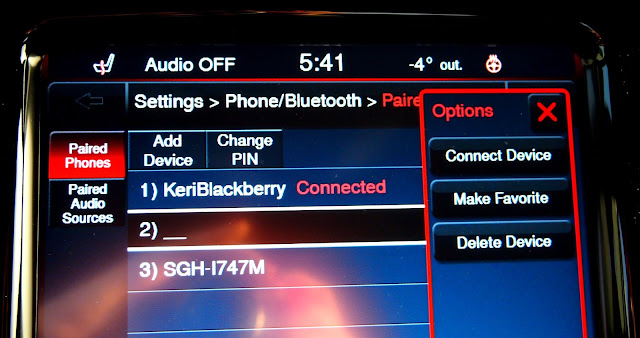
Otherwise, the next renter sees something like above.

When you pair your phone to a car, your contacts are stored

Contacts plus I don’t know what else.  I tried to write a column about it during the winter, but couldn’t find barely any documentation about what information is saved… lots on how to connect a phone, almost none about what’s there, and how to clear it.

It was weird actually, like I’d found a hole in the internet.

Those are all my phone names, in order:

– BlackBerry
– iPhone (security through obscurity)
– Samsung Galaxy SIII

It’s a 2013 Dodge Dart, click here for my review.


Thanks for sharing:

  • Facebook
  • Twitter
  • Pinterest
  • LinkedIn

Filed Under: Car Talk, Security Tagged With: auto security, blackberry, dart, dodge, pair phone to car, rental car, security through obscurity

Spot the Exit

Apr 22 2013

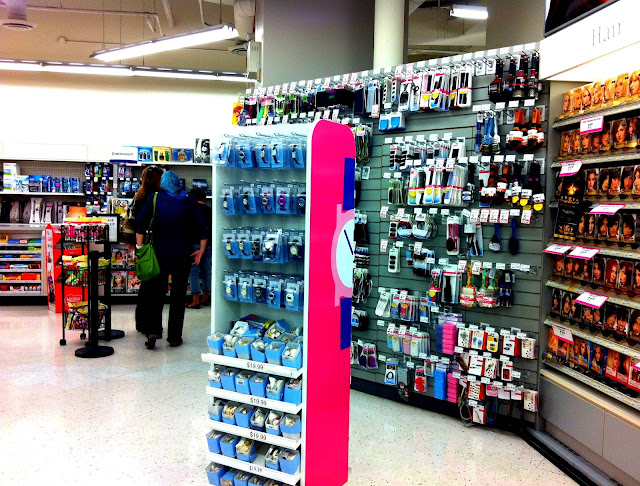
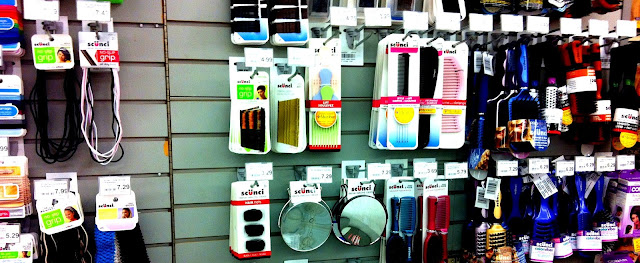
Hiding in the wall of hair accessories, a door.


Thanks for sharing:

  • Facebook
  • Twitter
  • Pinterest
  • LinkedIn

Filed Under: I Am Not a Hippie Tagged With: plain sight, security through obscurity

Securing Your Car in the City

Mar 20 2013

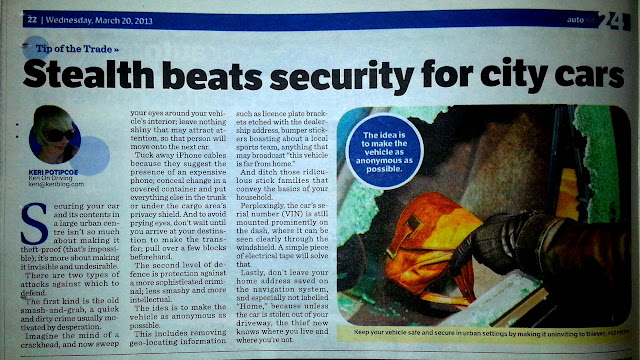
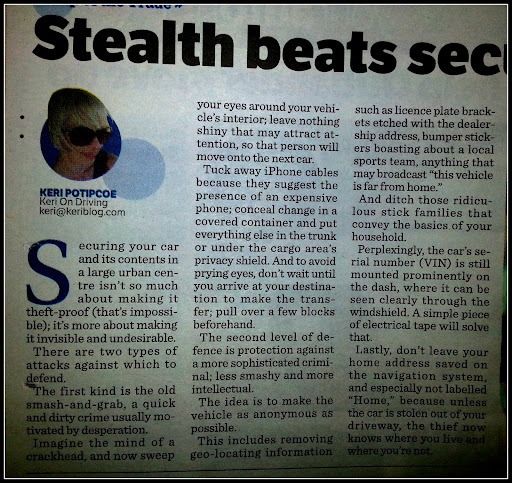
Defend against 2 types of attacks when parking your car in an urban environment.

(Last line reads: because unless the car is stolen out of your driveway, the thief now knows where you live and where you’re not. 

Favourite line:

Securing your car isn’t so much about making it theft-proof (that’s impossible); it’s more about making it invisible and undesirable.

Above – where this week’s column came from.

24 Hours readers – you’ve met me through cars, but as a hobby around here, I blog about security, mostly online.

***

Back to ‘Keri on Driving’ – Index


Thanks for sharing:

  • Facebook
  • Twitter
  • Pinterest
  • LinkedIn

Filed Under: Car Talk, Security Tagged With: auto security, autonet, keri on driving, keri on security, physical security, security through obscurity, sun media

Don’t Name your Phone your Name

Mar 14 2013

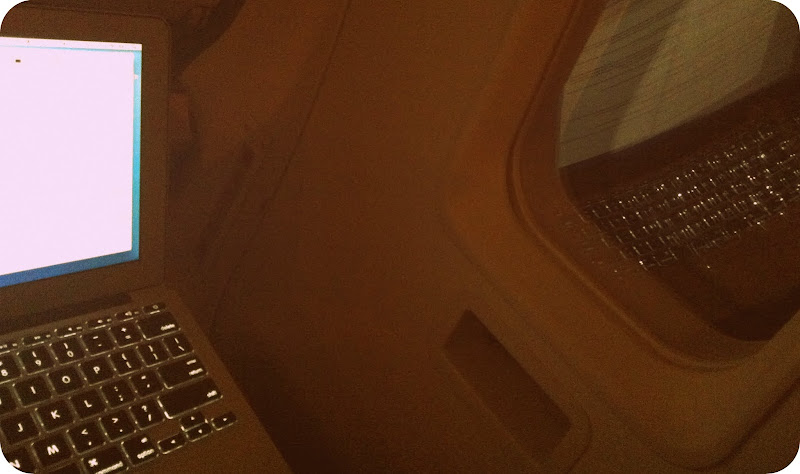
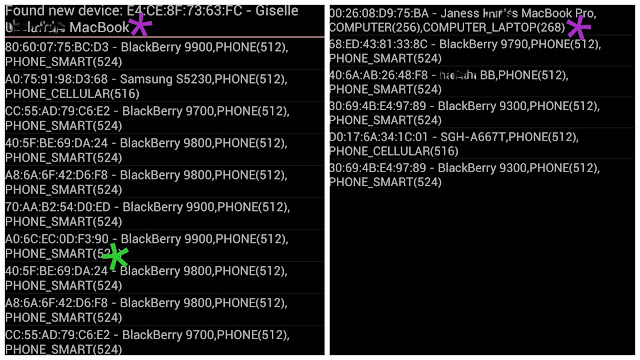
At the airport, scanning Bluetooth signals in a passenger waiting area.

The results:

Purple * – See the person’s name clearly displayed? The type of device/computer they’re using?
Green * -And that long number? That’s a MAC address

MAC address – a device’s unique number, a digital signature. Every device has one. Not related to Apple/Mac computers.

These people are unnecessarily broadcasting a lot of personal information.

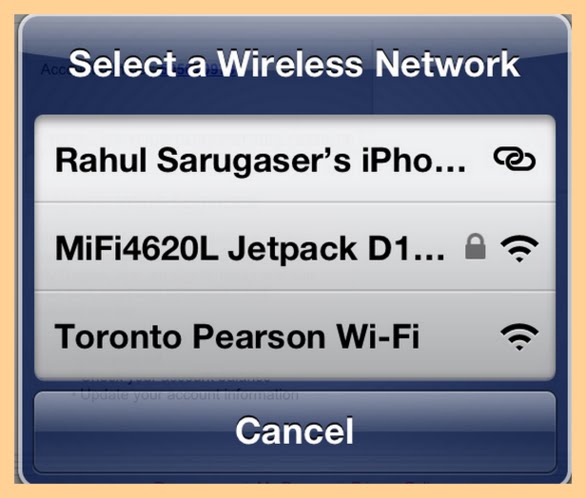
If someone shouted, “Hi Rahul!”,

a gentleman within a 30-feet radius would react.

Someone with bad intentions could do a lot with that.

Practice ‘Security through Obscurity‘, and name your phone something boring.

The name of my phone is —

And always remember, one of the most dangerous places to go online is using airport WiFi.

Even the best guys in the world don’t.

SOLUTION – tether your laptop to your phone using a USB cable


Thanks for sharing:

  • Facebook
  • Twitter
  • Pinterest
  • LinkedIn

Filed Under: Airports, Security Tagged With: airport, bluetooth, MAC address, security through obscurity, WiFi, wifi security

  • « Previous Page
  • 1
  • 2
  • 3
  • 4
  • Next Page »

[footer_backtotop]

Copyright © 2007-2015 KeriBlog.com All rights reserved. Advertising / Privacy Policy / Contact