KeriBlog

Cars, Security & a Peek into my Life

  • Keri on Twitter
  • Keri on Instagram
  • Keri on Facebook
  • Keri on LinkedIn
  • Keri on YouTube
  • Keri on Google Plus
  • Home
  • Home
  • Cars
  • Security
  • a Peek into my Life
  • ‘Keri on Driving’ Index Page

Why I Don’t Like Airport WiFi

Apr 1 2014

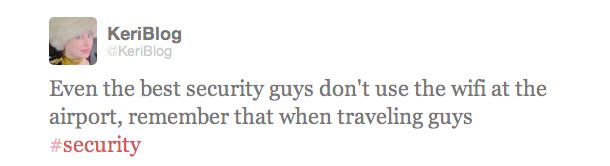
For years from airports, I’ve tweeted as much:
During a recent trip, I had to send a file out, so was forced to connect.

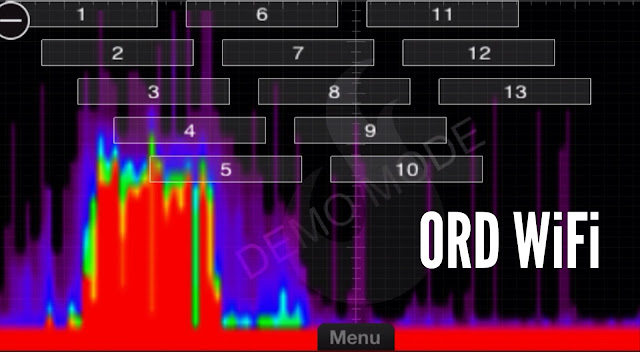
This is what happened in Chicago O’Hare (ORD):
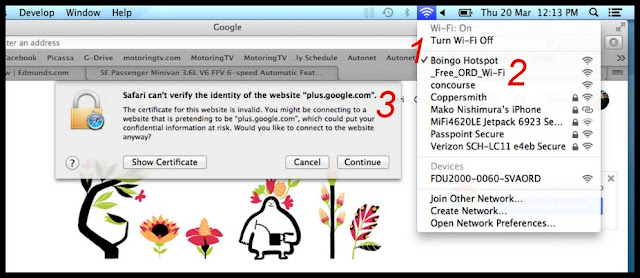
1 – Boingo is a recognized hotspot provider, okay, I’ll connect to that.

Nope, it’s not working. Oh no, this file needs to go… I have to connect to…

2 – _Free_ORD_Wi-fi  Based on the shady name of this network, I bet I’m about to be MITM’d

3 – Yes I was

***

The Attack

It’s called a Man-in-the-Middle (MITM) attack.

The WiFi network I connected to is likely not affiliated or provided by the airport. Instead, it’s probably an antennae poking out of someone’s backpack.

Using a clever WiFi name, the attacker poses as a legitimate network > I connect to it > now all my traffic is run through the attacker’s computer first, before going out to the internet >as it goes by, the attacker grabs passwords, reads stuff, etc.

(I’ll better explain a MITM attack in the near future)

The Defence

Don’t go online at the airport.  It’s one of the most hostile network in the world.  This environment provides nefarious characters anonymous access to sharpen their skills.

If you must go online, avoid entering passwords, accessing sensitive data, and certainly no online banking.

Okay? Okay.

NOTE – this could be because I was already connected to Google+ , then I automatically attempted to reconnect and I was associated to the captive portal yet, although I was getting a suspicious certificate error, it’s because I was being redirected to the captive portal for login first, and that new IP didn’t resolve to “plus.google.com” that is my browser saying woah. Possibly.


Thanks for sharing:

  • Facebook
  • Twitter
  • Pinterest
  • LinkedIn

Filed Under: Airports, Security Tagged With: airport, attack, man in the middle, MITM attack, WiFi, wifi security

Why I Like Airports

Apr 1 2014

Watching the people. Everyone seems to have lowered their guard more than normal, and many have totally dropped them.

I wonder if it’s because an airport is such a protected and monitored place, so it feels safe to drop it.

I like walking through the crowds, thinking about how I’m so close to all these different people, and I will never see them again.

Maybe we even bumped into one another, exchanged words and a smile, then nothing ever more guaranteed.

You know the saying, “want to see someone’s true colours? Add stress”. Many people find travelling stressful, so that’s usually entertaining.

There’s the most delicious airport food, able to be eaten one-handed.

And I figure if I’m in an airport, I must be up to something good.

Always have loved airports.

Here’s the blog section.

Pretty good wingtip photo eh.


Thanks for sharing:

  • Facebook
  • Twitter
  • Pinterest
  • LinkedIn

Filed Under: Airports, Lifestyle Tagged With: airport, airports

A Luxury Airline Amenity Kit

Mar 18 2014

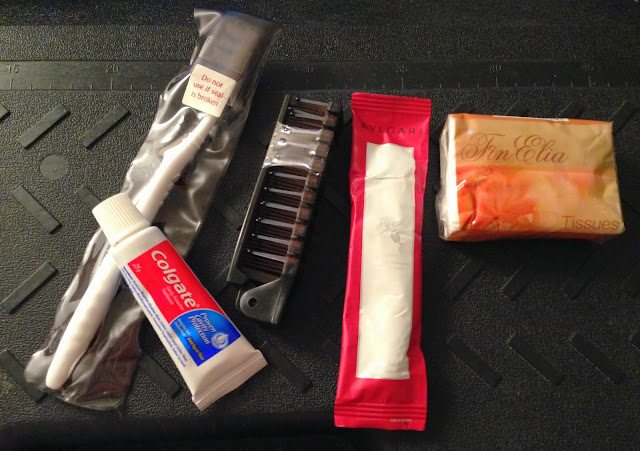
As about as fancy as these kits get.

Business class to Dubai, on Emirates Airline.

A full-sized toothbrush, a hair brush, missing is an eye mask.

A mirror, two creams (hand & face), and a bottle of perfume.

All with a signature scent, designed specifically for this flight bag.

(wasn’t me who flew, a friend brought it back for me, because I like Bulgari.)


Thanks for sharing:

  • Facebook
  • Twitter
  • Pinterest
  • LinkedIn

Filed Under: Airports, I Am Not a Hippie Tagged With: Airline Amenity Kit, airplane, airport, bulgari

Why Airport WiFi is the Most Hostile Network

Feb 11 2014

I’ve harped on you for years via social media, “stay off airport WiFi, it’s dangerous and even the best guys don’t connect to it”.

When I travelled to Arizona two weeks ago, sitting at the terminal I was like, “okay fine, I have to wipe my phone soon anyway, and should demonstrate why I keep harping”.

I connect to the terminal’s free network.

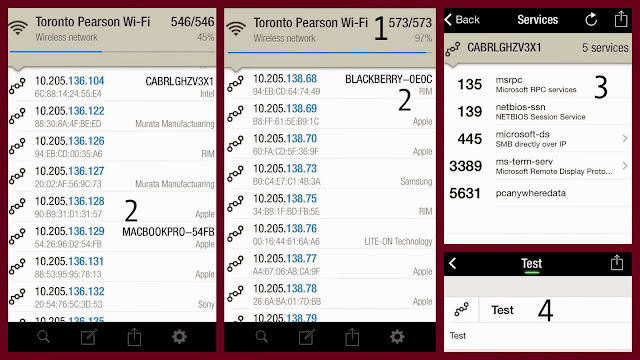
Using an app on my phone, I scan the network.

1 – there are 573 devices connected to the network

2 – the brand of each device is displayed

3 – I can choose to see what each device is doing

4 – I can pick one device and track it! I assign it the name, “Test”

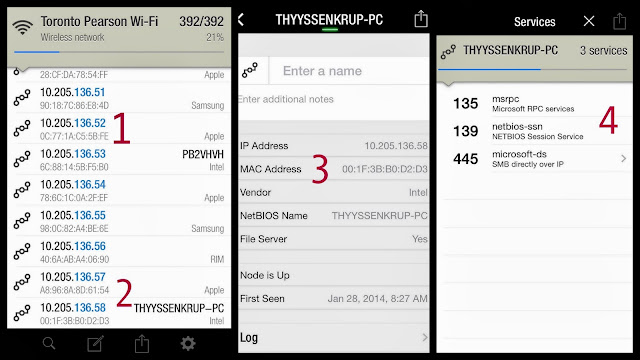
1 – listed are the IP (like an address) and MAC address (like a serial number) of all connected devices

2 – let’s see what’s happening with THYSSENKRUP-PC

3 – that’s his IP and MAC address, of his Intel PC

4 – the numbers on the left are his ports, and what traffic is going in/out on each  

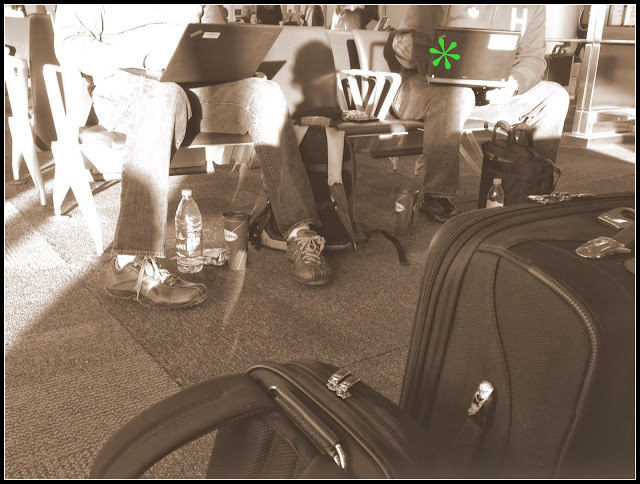
* – this traveller has his business card taped to his laptop.

The Attack

A business traveller has connected both his phone and laptop, he’s working away. The attacker notes his brand of device, the device’s name, MAC and IP address, and what is happening on which ports.  Added bonus is the business card taped to the laptop.

The attacker does some social media mining, then a week later, the traveller gets a phone call.

“Jimmy hi! Karl from IT here. Look, there’s a bit of a meltdown happening at HQ, sorry but this is urgent, you were at Pearson airport last Tuesday, right?

You’re on a Blackberry, MAC address 00:1F:3B:Bo:D2:D3, and were connected to our Microsoft Exchange server, right?  Yup, look, we have a compromise here, and I’m going to need your access to your laptop…”

***

An elaborate example, because really, someone skilled now has enough information to breach Jimmy’s system, with neither the laptop lid business card, or a phone call.

The Defence

Use your phone (via USB, not Bluetooth) to connect to the internet.  Reduce the attack surface.

The Better Defence

Just don’t.

If you must, avoid entering any passwords, and certainly no banking or credit card numbers.

(see also: Protecting your Phone in an Uncertain Environment)


Thanks for sharing:

  • Facebook
  • Twitter
  • Pinterest
  • LinkedIn

Filed Under: Airports, Security Tagged With: airport, airports, attack, smashcan jimmy, WiFi, wifi security

Label your Luggage Always

Apr 29 2013

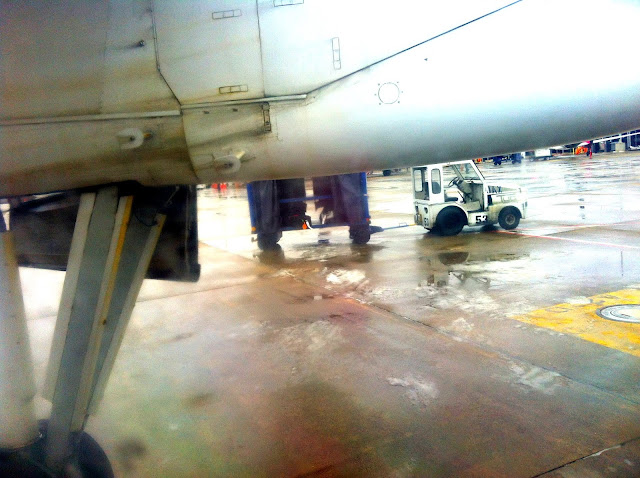
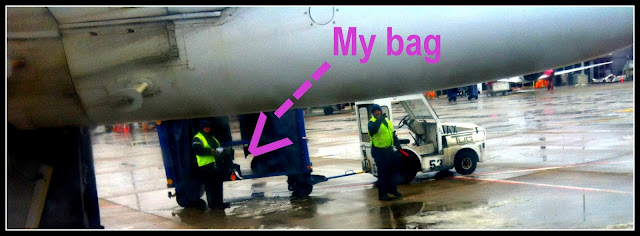
A few months back I was looking out the window, waiting for the plane to take off… oh what’s that?

That’s my suitcase not being loaded on board. Instead, it’s about to be driven away on that little truck.

Oh no.  “Excuse me”… “Hello?” By now the truck has started driving away, I stand up “HI LISTEN HI”.

I described what happened, and it was the pilot himself who leaped off the plane and ran after the truck.

It was only then that I started to worry… imagine if I was wrong, and I’d just held up the plane, while the pilot chased someone else’s bag.

But it wasn’t, and he returned with my luggage, and the passengers around me were all, “sharp eye” and “nice catch”.  I only felt relief.

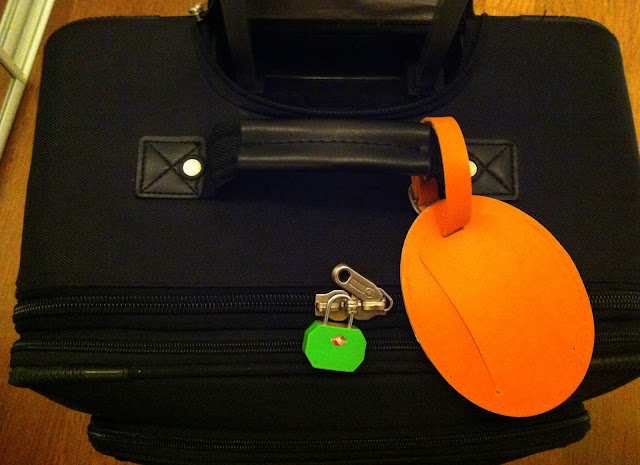
That’s why I use that giant orange luggage tag,
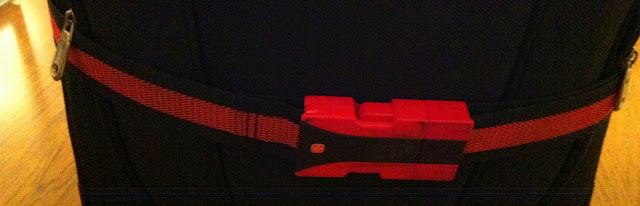
a bright red strap, and a green lock; VDMs

VDM – Visual Distinguishing Mark

(as I’ve blogged before, only use TSA approved red diamond locks when travelling)


Thanks for sharing:

  • Facebook
  • Twitter
  • Pinterest
  • LinkedIn

Filed Under: Airports, Security Tagged With: airport, luggage, travel, VDM

  • 1
  • 2
  • 3
  • 4
  • Next Page »

[footer_backtotop]

Copyright © 2007-2015 KeriBlog.com All rights reserved. Advertising / Privacy Policy / Contact